Patient recall for Acuity Scheduling
Stop losing patients between appointments
Rebooky connects to your Acuity account and automatically shows you who's overdue for a visit so you can reach out before they disappear.
How it works
-
1
Connect Acuity
Paste your Acuity User ID and API key. Rebooky reads your appointment history and matches each calendar to a practitioner.
-
2
See who's lapsed
Everyone without a future booking lands in an inbox, sorted so your most loyal patients come first.
-
3
Reach out and rebook
Track every text and call, set follow-up dates, add notes, and watch patients move from "Not Contacted" to booked.
See it in action
Real screens from Rebooky, filled with sample patients.
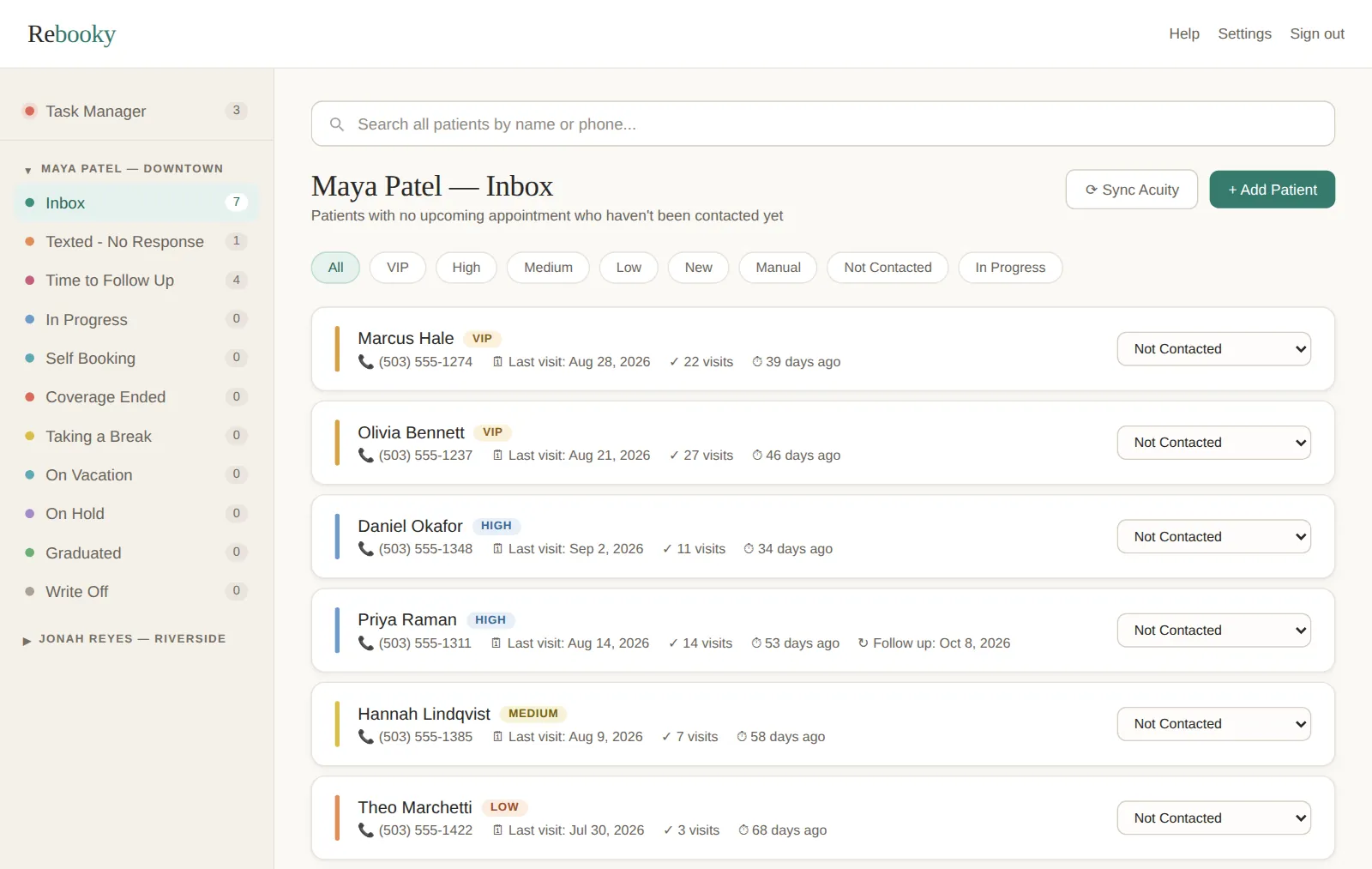
See who's overdue, most loyal first
After each sync, everyone without a next visit lands in their practitioner's Inbox. Your VIPs sit at the top, with their phone number, last visit and visit count right on the card.
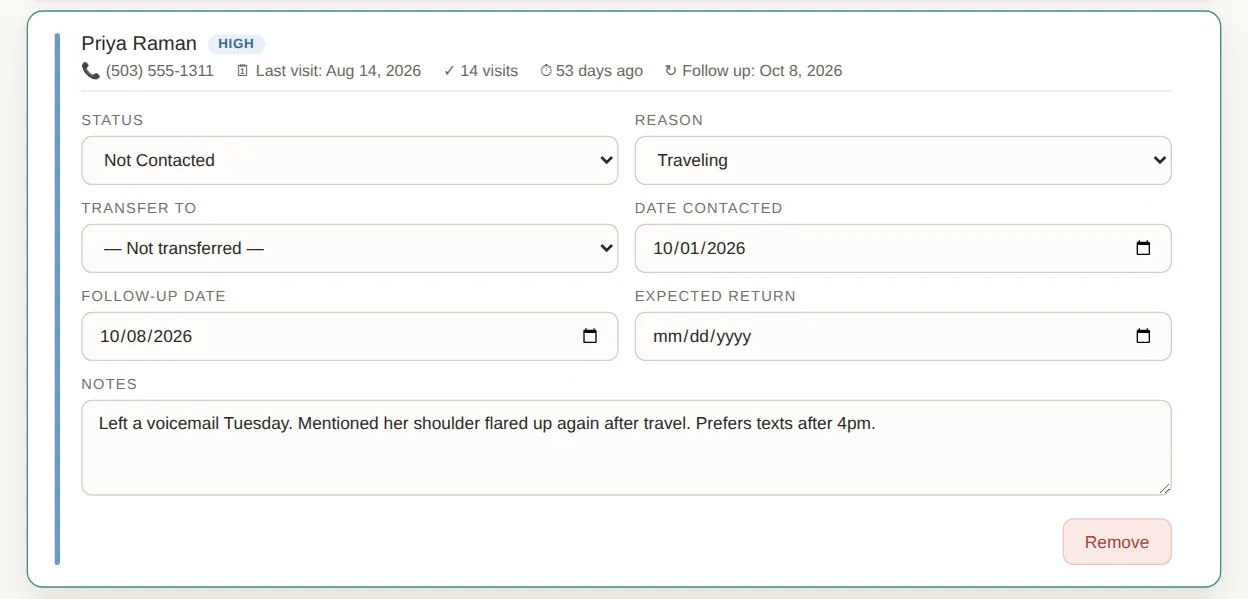
Every follow-up in one place
Open a patient to set their status, note why they haven't rebooked, and record when you reached out and when to try again. Your staff member sees the same notes, so nobody calls twice.
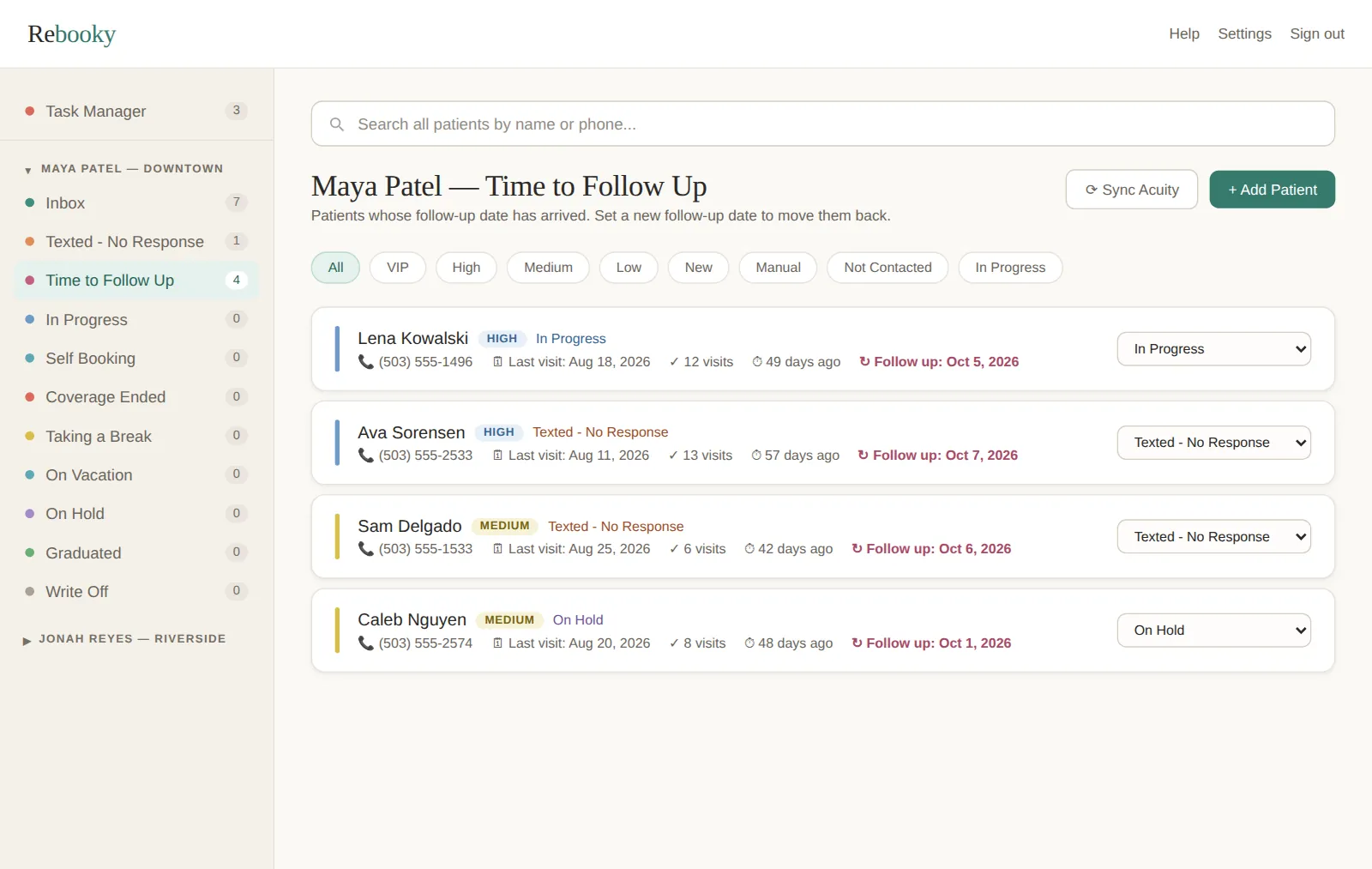
Nobody slips through the cracks
When a follow-up date arrives, that patient moves to Time to Follow Up, whatever list they were in. Reach out, set the next date, and they move back.
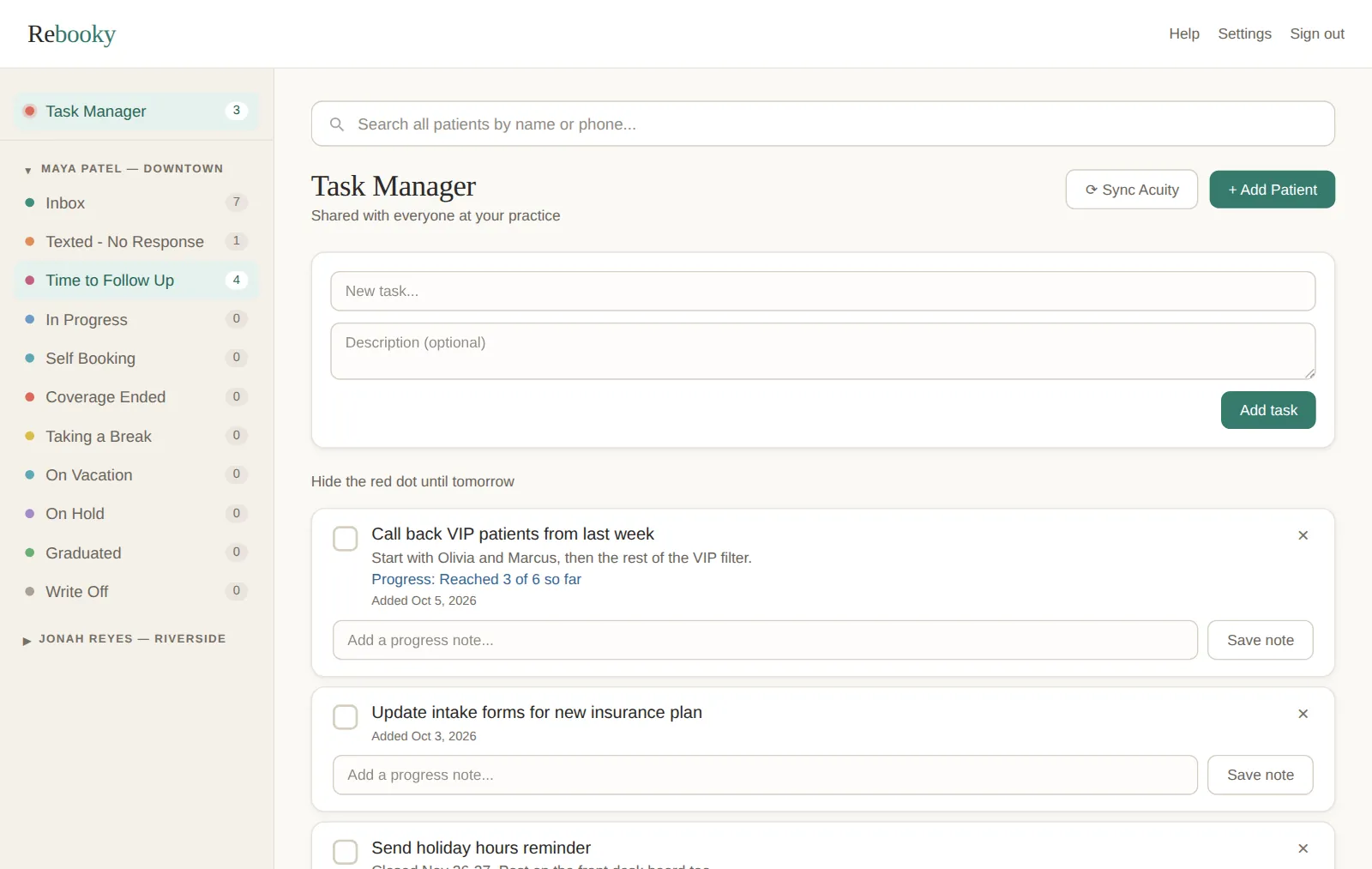
A shared to-do list for the front desk
Add tasks, leave progress notes and tick them off when they're done. A small red dot in the sidebar reminds you when something is still open.
Set up in a few minutes
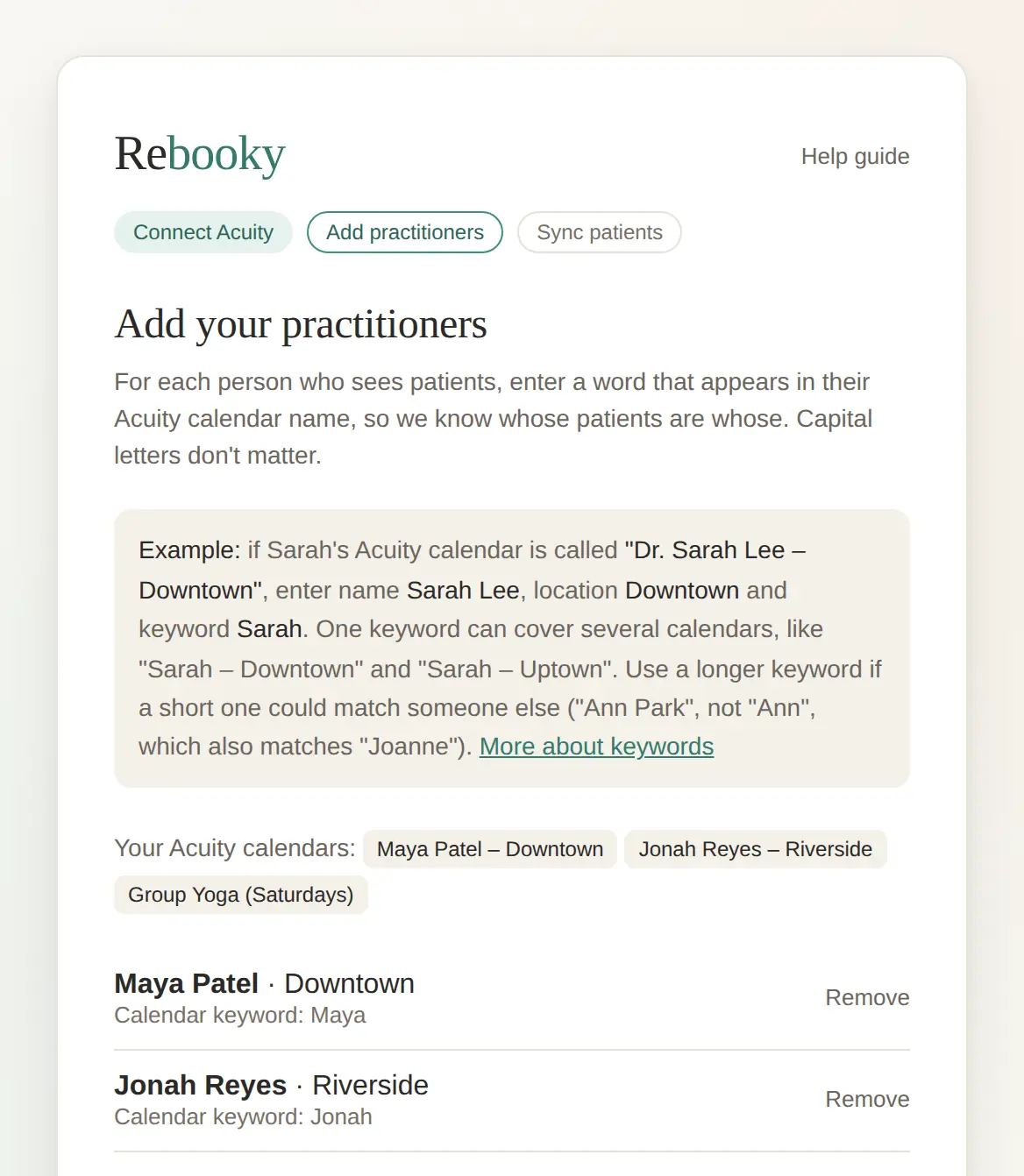
Connect Acuity, add your practitioners with a word from their calendar names, and Rebooky brings in your patients. No spreadsheets and no importing.
Built for practices that run on Acuity
- Acupuncturists
- Chiropractors
- Therapists
- Massage therapists
- Any Acuity user
Invite a staff member to share the work. Rebooky only reads from Acuity, so your schedule is never changed.
Simple pricing
One plan, everything included. Try it free for 14 days.
No credit card required to start. You choose a plan when your trial ends.
Bring your patients back
Set up takes a few minutes. Your first list of lapsed patients is ready right after.
Start Free Trial